Table of Contents
Random Object Generator for Product Designers
Every product designer knows this moment: the backlog is full, the roadmap is clear, but the ideas aren’t flowing. You open Figma, stare at the same component library you’ve used for months, and default to the same layout patterns yet again.
That’s not a lack of skill. It’s cognitive fixation — your brain reaching for the nearest familiar solution instead of a genuinely new one. The fix isn’t more research. It’s structured randomness.
A random object generator for product designers solves this by giving you an unrelated physical object to design around — a kettle, a bicycle pump, a pair of scissors — and forcing your brain to build a product experience from scratch instead of copying a pattern. Spin this Random Object Generator once and you’ll immediately feel the difference between “designing what’s expected” and “designing what’s possible.”
Why Product Designers Specifically Need Randomness (Not Just UX Designers)
Product designers sit at the intersection of UX, business strategy, and systems thinking. That means creative blocks show up differently than they do for pure UI/UX designers — they show up as feature fatigue, where every new feature idea feels like a rehash of the last sprint.
Product-focused creative block exercises need to do more than unblock a single screen. They need to exercise:
- Prioritization thinking — deciding what matters when everything about an unfamiliar object seems equally arbitrary.
- User-need translation — converting a random object into a plausible user problem, the same muscle used to translate vague stakeholder requests into real features.
- Systems framing — thinking about an object not as a single screen, but as an entire product ecosystem (onboarding, retention, edge cases).
This is why rapid ideation exercises for product teams built around random objects consistently outperform generic brainstorming prompts — the object gives just enough constraint to focus the exercise, without dictating the outcome.
5 Ways Product Designers Can Use a Random Object Generator
1. MVP Framing Practice
Goal: Practice scoping ruthlessly.
- Generate one random object.
- Imagine it as a physical product with an app companion (like a “smart” version of it).
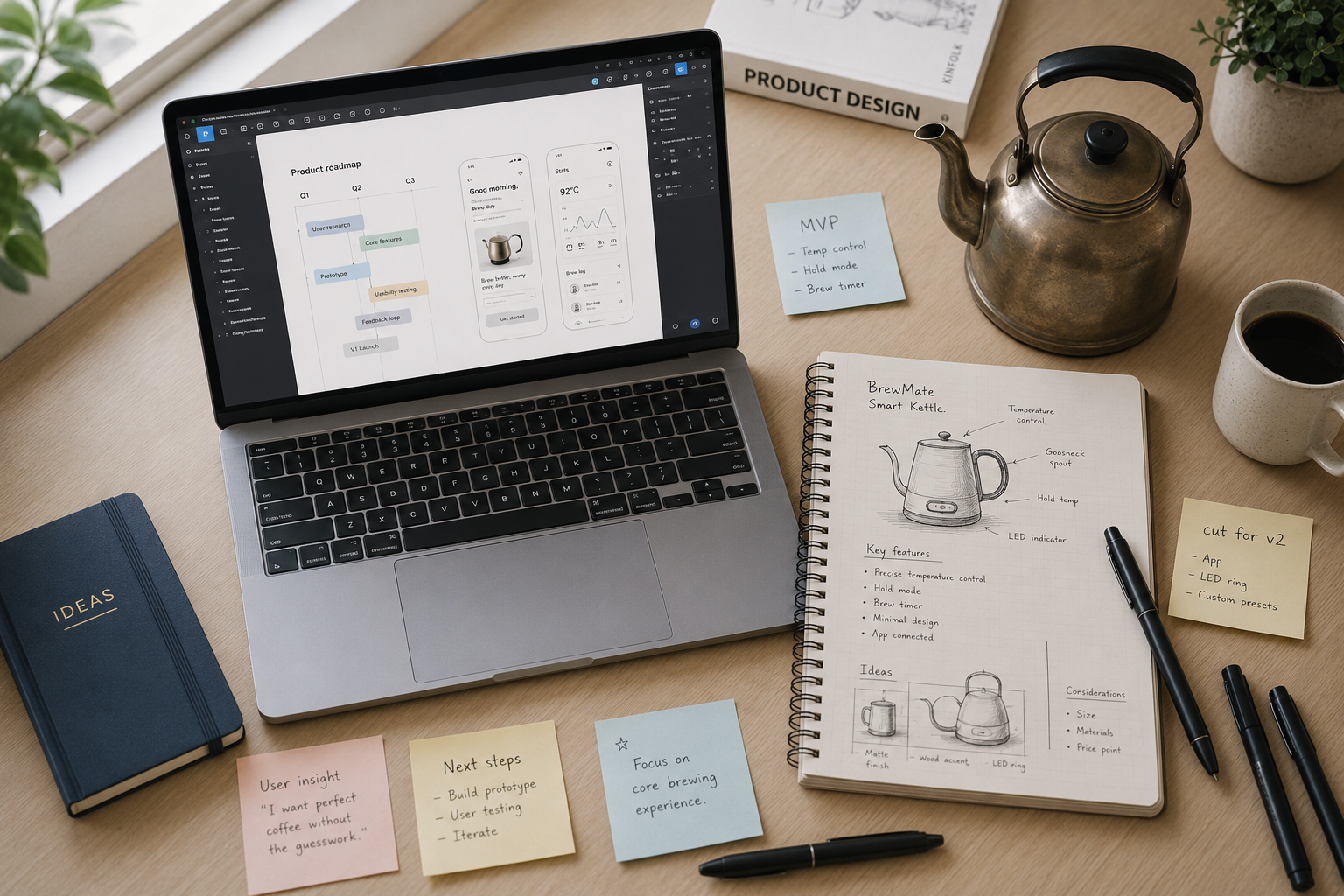
- In 20 minutes, define only the MVP feature set — three features max.
- Explicitly write down two “nice-to-have” features you’re cutting, and why.
This mirrors real product work: an unfamiliar object with no existing feature expectations forces honest prioritization instead of over-scoping, which is one of the most common failure patterns in early product design.
2. Full Product Lifecycle Sprints
Goal: Practice designing beyond the first screen.
Use an online Random Object Generator to pick an object, then map its entire lifecycle as a digital product:
- Onboarding flow
- Core “aha moment” interaction
- Retention hook (why would someone open this app again tomorrow?)
- Edge case: what happens when it breaks or runs out of battery?
This is one of the most effective rapid prototyping design warmups because it trains you to think in systems, not screens — a skill that separates product designers from pure UI designers.
3. Stakeholder Alignment Workshops
Goal: Get PMs, engineers, and designers speaking the same creative language before a real project kicks off.
How to run it (works great remote or in-person):
- Generate a random object for the group.
- Break into small teams; each team pitches a 2-minute “product concept” inspired by the object.
- Vote on the most technically feasible idea, the most delightful idea, and the most commercially viable idea — three separate categories.
- Debrief: “Which of these decision lenses do we usually skip in real product reviews?”
This is a genuinely engaging way to run creative thinking activities for product teams, since nobody on the team has domain authority over a random household object — it flattens hierarchy and boosts participation.
4. Constraint-Based Whiteboarding Practice
Goal: Build comfort with live, pressure-tested design thinking — useful for interviews and stakeholder whiteboard sessions.
If you’re wondering how to run a whiteboarding challenge that can’t be pre-rehearsed, pairing a generic product prompt with a random object modifier is the answer:
- Prompt: “Design a subscription product inspired by [random object].”
- Time-box to 15 minutes.
- Talk through your reasoning aloud while sketching — this is what interviewers and stakeholders actually evaluate, not the final polish.
5. Information Architecture & Categorization Drills
Goal: Sharpen structural thinking for navigation, taxonomy, and feature grouping.
Generate a batch of 15–20 random objects and sort them multiple ways — by function, by user emotion, by frequency of use. This is one of the most underrated ux ideation methods using random objects, because it trains the exact mental skill used to build clean information architecture for real, unfamiliar product categories.
Step-by-Step: Getting the Most Out of Advanced Filters
A blank “random word” list is noise. A filtered generator gives you designed randomness.
Step 1 — Filter by category. Technology objects (routers, headphones) work well for MVP framing since they already imply connectivity. Household objects (candles, kettles) work better for full lifecycle sprints, since there’s zero existing digital precedent to lean on.
Step 2 — Filter by difficulty. Common objects keep team workshops fast-paced and inclusive. Rare objects are better for solo practice when you want to push past your first three obvious ideas.
Step 3 — Filter by word length. Short object names work best for time-boxed whiteboarding. Longer, more complex names naturally invite richer IA and categorization exercises.
Step 4 — Batch-generate for teams. Give each breakout group a different object so no team can “borrow” direction from another — this keeps your workshop debrief genuinely varied.
Standard Product Brainstorms vs. Random Object Product Prompts
| Factor | Standard Product Brainstorm | Random Object Product Prompt |
|---|---|---|
| Starting point | Familiar product category | Unfamiliar physical object |
| Risk of recycled ideas | High — teams anchor on known solutions | Low — no existing template to copy |
| Prioritization practice | Often skipped in favor of big ideas | Forced, due to limited object context |
| Team engagement | Can feel repetitive over time | Naturally playful, higher participation |
| Best for | Roadmap planning, client pitches | Warmups, workshops, interview prep, IA practice |
| Skill trained | Strategic scoping | Divergent thinking + systems framing |
Conclusion: Make Randomness a Ritual, Not a One-Off
Product design creative blocks rarely resolve by waiting for inspiration to strike. They resolve by deliberately disrupting the patterns your brain already trusts — and a random object is one of the fastest, lowest-cost ways to do that.
Whether you’re scoping an MVP, mapping a full product lifecycle, running a stakeholder workshop, or prepping for a live whiteboarding challenge, the exercises above turn “randomness” into a repeatable design practice.
Next time your roadmap review feels stale, skip another scroll through competitor apps for inspiration. Instead, leverage this free Random Object Generator tool, set a 15-minute timer, and design for whatever object it gives you. The constraint is the point — and it’s often exactly what gets you unstuck.